Best email marketing for podcasters
Connect your podcast RSS feed so every episode becomes a draft email. Give listeners a reason to sign up, like full show notes or a checklist. Mention the list on every episode. SendFox is free up to 1,000 contacts, then $29 once for 5,000.
Free up to 1,000 contacts. No card.

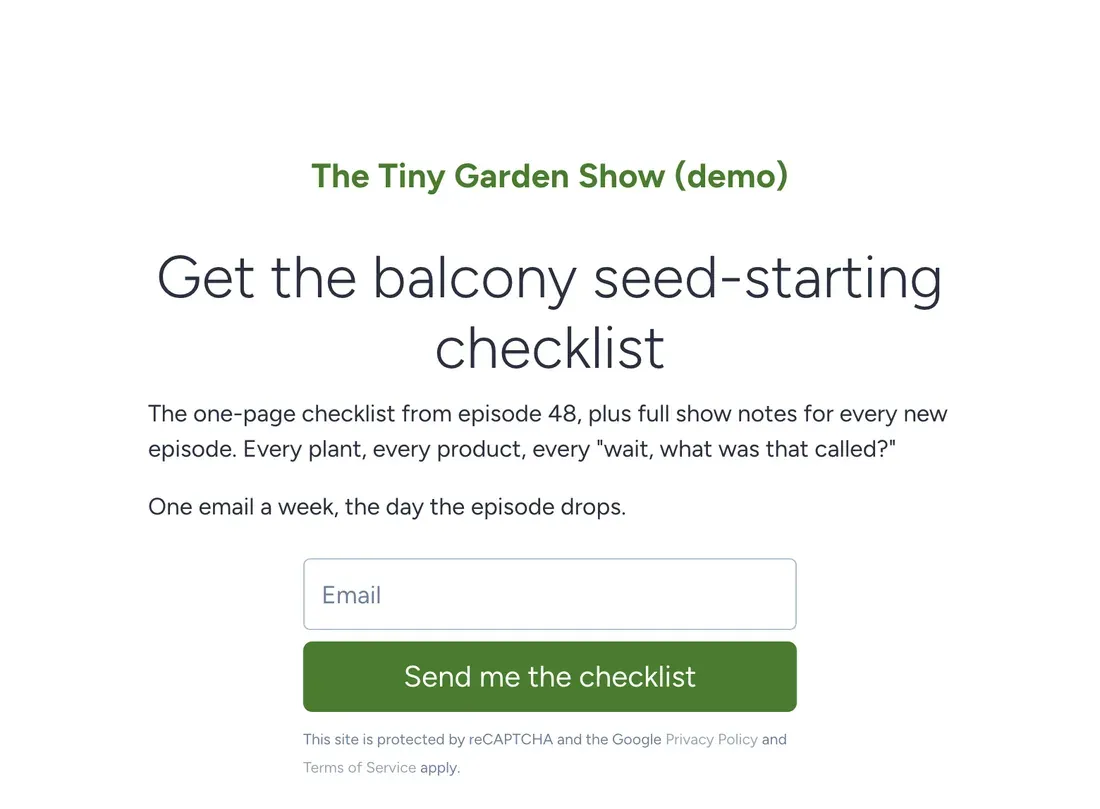
SendFox is the best email tool for most podcasters: RSS-to-email turns each new episode into an email draft, and a signup page gives listeners somewhere to go. It's free for 1,000 contacts and $29 once for 5,000. Pick beehiiv if you want your newsletter, website and podcast in one place, Substack if you want podcasts bundled with an app, and Ghost if the website matters most.
Podcast apps give you download numbers and nothing else. You don't know who listens. An email list fixes that, and it's where you'll announce the live show, the book, or the thing you haven't thought of yet.
The example is The Tiny Garden Show, a made-up weekly podcast about growing food on balconies, hosted by Marco. The show isn't real. The setup is.
What the form asks for
- Fields: Email only. Every extra field costs signups.
- Button: "Send me the checklist"
- What they get: The balcony seed-starting checklist from episode 48, plus full show notes every week.
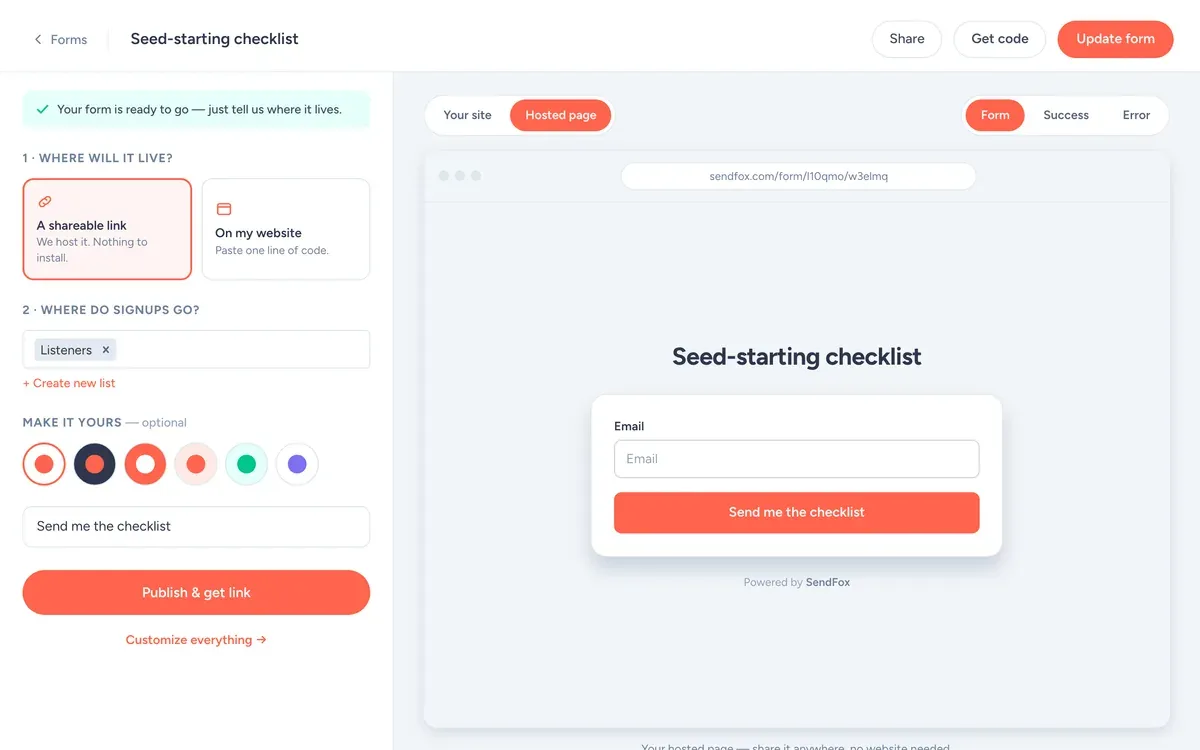
- Where signups go: the Listeners list, which starts the welcome automation.
Use it as a hosted link (your bio, a QR code, the back of a book) or paste one line of code to put it on your site.
Best email tools for podcasters
I make SendFox, so it's listed first. Each tool below says what it does better than us. Prices are at 5,000 subscribers. How we checked.
| # | Tool | Best for | At 5,000 subscribers |
|---|---|---|---|
| 1 | SendFoxBest value | Turning every episode into an email | $29 once |
| 2 | beehiiv | Newsletter, website and podcast in one place | $109/mo |
| 3 | Substack | Podcasts bundled with a reader app | $0 + 10% of paid |
| 4 | Ghost(Pro) | A real show website with memberships | $75/mo |
| 5 | Kit | Growing through recommendations | $89/mo |
01 SendFox Best value
- Price
- Free to 1,000 contacts. $29 once for 5,000. Pro from $19/month.
- Moves
- Imports from Mailchimp, Kit, Google Contacts or a CSV
Good
- Free for 1,000 contacts and 3,000 sends a month
- $29 once for 5,000 contacts and 300,000 total sends
- Smart Pages and subscriber referrals on every plan, RSS-to-email from the $29 plan
Not so good
- The $29 plan has a send pool. Weekly to 5,000 people uses it in about 13 months, then you move to Pro
- No CRM or sales pipeline
- Paid newsletters and removing branding need Pro
02

- Price
- $109/month at 5,000 (Lite). Free to 2,500.
Good
- Ad Network and paid sponsorships
- Paid recommendations (formerly Boosts)
- Website and podcast in the same place
Not so good
- Automations and the Ad Network start on the paid Lite plan
- Removing beehiiv branding needs Pro
03
 Substack
- Price
- Free to send. Keeps 10% of paid subscriptions.
Good
- Discovery through the app and recommendations
- Free if you never charge
- Podcasts, video and a reader app included
Not so good
- 10% of paid subs plus card fees, for as long as you publish
- Email tools are thin next to the rest of this list
04
 Ghost(Pro)
- Price
- $75/month at 5,000 (Publisher).
Good
- Full website and CMS
- 0% fees on paid memberships
- Posts on the open web through ActivityPub
Not so good
- Starter stops at 1,000 members
- You pay for hosting you might barely use
05

- Price
- $89/month at 5,000 (Creator). Free to 10,000 without automations.
Good
- Recommendations network and newsletter sponsorships
- Free plan up to 10,000 subscribers
- Store for digital products built in
Not so good
- The first welcome sequence needs a paid plan
- Takes 3.5% plus 30 cents per sale
- Bills for subscribers who stopped opening
Let the RSS feed do the boring part
RSS feed to draft email
Connect your podcast RSS feed. Each new episode becomes a draft email in SendFox. You open it, add two lines only email readers get, and send.
Every planSmart Page
A short link you can say out loud. "tinygardenshow dot" whatever. Easy to remember beats clever.
Free: 1 · Lifetime & Pro: unlimitedListener referrals
SendFox has a built-in referral program. Each subscriber gets a share link, and you pick the rewards, like stickers or a bonus episode.
Every planPublished emails
Publish any email to your Smart Page so new visitors can browse old show notes.
Every planAn episode email that isn't just a link
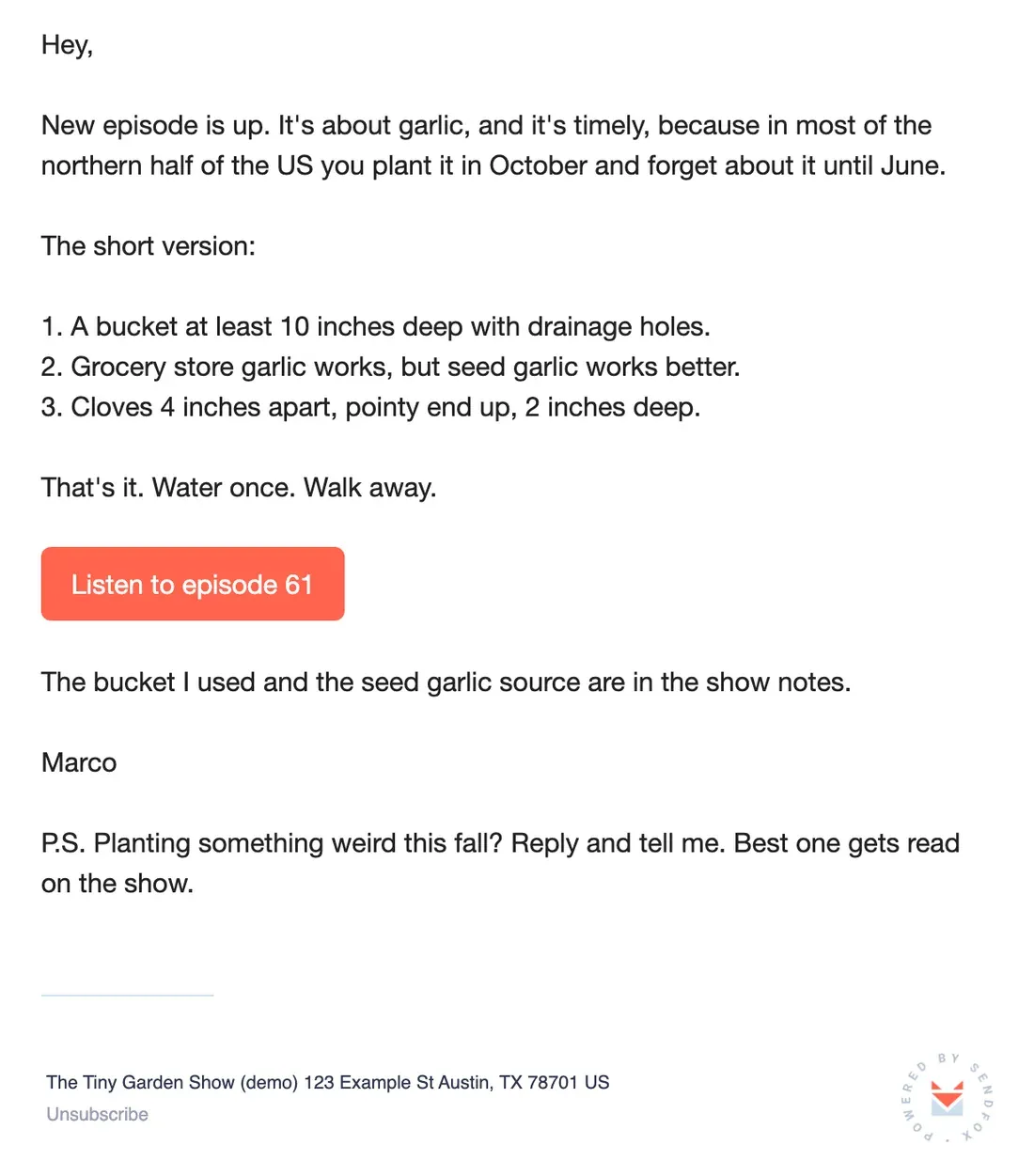
The RSS draft gives Marco the title and the episode link. He adds the three-step version so the email is useful even if you never press play.
That's the trick. If the email is useful on its own, people open it every week, and some of them press play.
Copy the text of this email
Hey,
New episode is up. It's about garlic, and it's timely, because in most of the northern half of the US you plant it in October and forget about it until June.
The short version:
1. A bucket at least 10 inches deep with drainage holes.
2. Grocery store garlic works, but seed garlic works better.
3. Cloves 4 inches apart, pointy end up, 2 inches deep.
That's it. Water once. Walk away.
[Button: Listen to episode 61]
The bucket I used and the seed garlic source are in the show notes.
Marco
P.S. Planting something weird this fall? Reply and tell me. Best one gets read on the show.
Ask listeners a question in every email. Replies turn into episodes, and episodes built from replies get shared.
From the SendFox teamSay the link on every episode
One sentence at the end: "Get the checklist and full show notes at tinygardenshow dot whatever." Every episode. Yes, it feels repetitive to you. Your listeners hear maybe one in four episodes, so to them it's news.
Put the link in the first line of every episode description too, not the bottom. Nobody scrolls show notes on a phone.
The lists and tags to set up
Create these on day one, with these exact names, so every email has an obvious place to go.
ListenerslistEveryone. Episode emails go here.
asked-a-questiontagPeople whose questions made the show. Thank them by name.
superfanstagPeople who reply most weeks. Ask them to test new segments first.
The welcome sequence
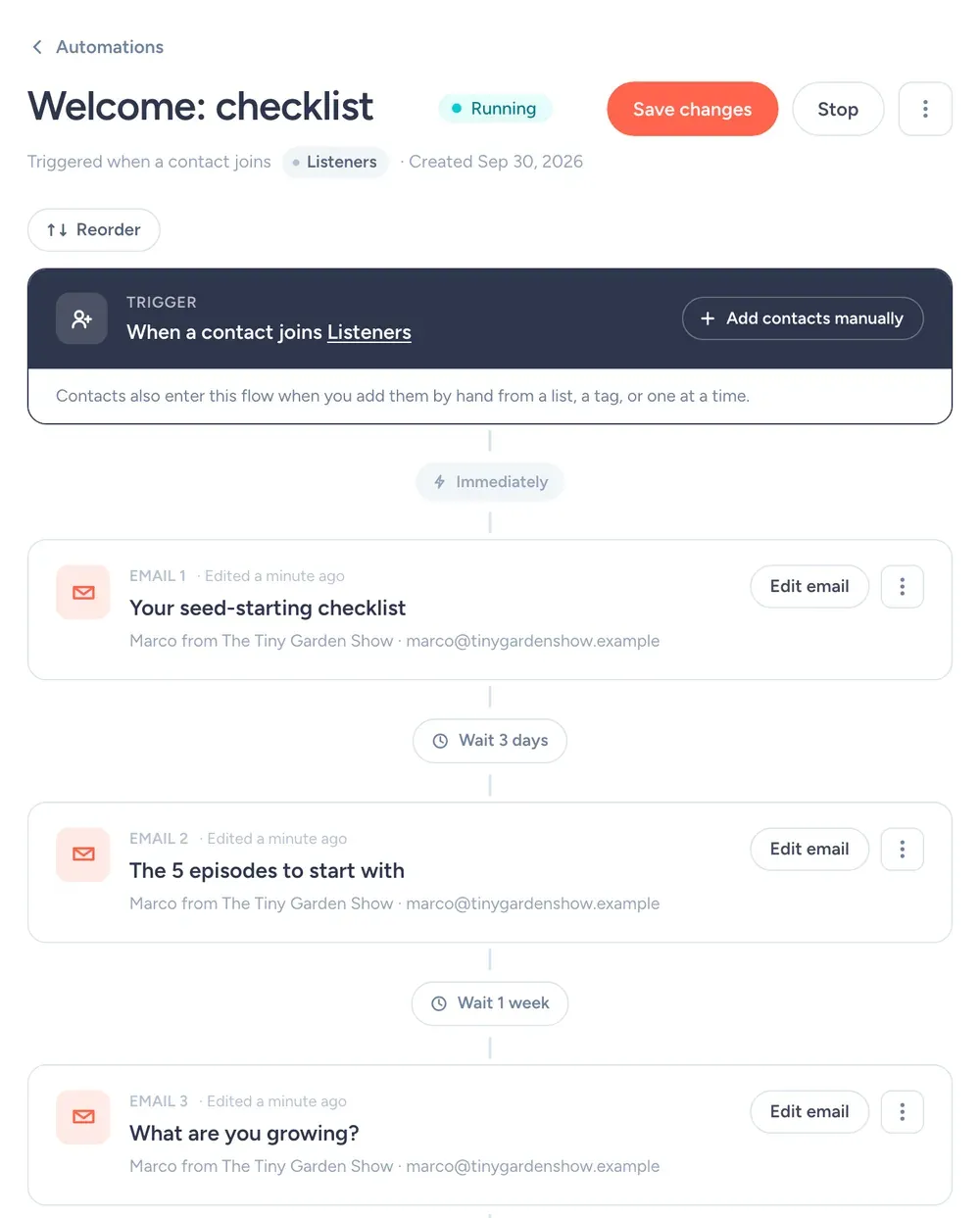
Triggered by joining the Listeners list:
- Right away"Your seed-starting checklist"The PDF link and a two-line intro to the show.
- 3 days later"The 5 episodes to start with"A short "best of" list for new listeners.
- 7 days later"What are you growing?"Asks them to reply. Marco uses the answers for listener Q&A episodes.
October for a weekly show
- Tue Oct 6
Episode 60 email (from the RSS draft).
- Tue Oct 13
Episode 61 email: garlic in a bucket (above).
- Tue Oct 20
Episode 62 email plus "send me your questions for the Q&A".
- Tue Oct 27
Listener Q&A episode email, with names of the people whose questions made it.
One email per episode, same day it drops. Don't batch three episodes into a monthly roundup. Nobody catches up on three episodes.
Say you have 2,000 listeners on the list. If 40% open the episode email, 800 people see it.
If 10% of the list click through, that's 200 plays on day one from a single email.
Rough math, not a promise. Round numbers for illustration; they aren't SendFox data, and your list will do its own thing.
Subject lines
Settings for a podcast list
| Setting | What to set | Why |
|---|---|---|
| From name | Marco from The Tiny Garden Show | Listeners know Marco's voice. Use his name. |
| From email | An address you actually read | Replies go to your from address. Replies are the best signal you'll get. |
| Send time | Episode day, 6am | Catch the morning commute, when people pick what to listen to. Campaigns schedule in your time zone. |
| Double opt-in | Leave it on to start | Confirmed subscribers mean fewer typos and fake signups. Single opt-in is available on Pro, or on Lifetime after a one-time domain setup. |
| Lists and tags | Listeners, asked-a-question, superfans | So each email goes only to the people it's for. What each one is for is spelled out in the lists and tags section. |
| Engaged only | On for promos, off for must-read news | It sends only to people who opened in the last 90 days or joined recently. |
| Footer | Nothing to add | SendFox adds your mailing address and an unsubscribe link to every campaign. You'll need to enter your address before your first send. |
What it costs a podcast
Free
1,000 contacts, 3,000 sends a month. 1 Smart Page, 1 form, 1 automation.
Lifetime
5,000 contacts and 300,000 total sends. Unlimited automations, Smart Pages and forms.
Pro
From 5,000 contacts and 100,000 sends a month. Paid newsletters, teammates, no SendFox branding.
| Plan | Price | Contacts | Sends | Smart Pages, forms, automations |
|---|---|---|---|---|
| Free | $0 | 1,000 | 3,000 / month | 1 of each |
| Lifetime | $29, once | 5,000 | 300,000 total | Unlimited |
| Pro | From $19 / month | 5,000 to 250,000 | From 100,000 / month | Unlimited |
Free and Lifetime emails carry a small SendFox footer; Pro removes it. Pro also adds paid newsletters on your own Stripe account and teammates. Lifetime and Pro get the full API and MCP server; Free gets a limited set. Current plans: sendfox.com/pricing.
Free up to 1,000 listeners. $29 once for 5,000. Want to charge superfans for bonus emails? Paid newsletters run on your own Stripe account with no SendFox platform fee, on Pro from $19/month.
How that compares to 12 other tools at 5,000 to 100,000 subscribers: email marketing pricing compared.
How we checked
Every price comes from the vendor's own pricing page, read on October 14, 2026, at monthly billing unless noted. We priced each tool at 5,000, 10,000, 25,000, 50,000 and 100,000 subscribers on the plan named in the table. The ranking is for podcasters who email one list regularly. Nobody paid to be on this list. SendFox prices come straight from our billing system, so they match what you will pay.
FAQ
Can SendFox email my listeners when a new episode comes out?
Yes. Connect your podcast RSS feed and SendFox creates a draft email for each new episode. You review it and hit send.
How do I get podcast listeners onto my email list?
Give them one link and one reason. Say the link at the end of every episode, put it in the first line of the show notes, and offer something email-only, like a checklist or full notes.
Can I charge for bonus content?
Yes, on Pro. SendFox paid newsletters run on your own Stripe account with no SendFox platform fee.
What does SendFox cost for a podcast?
Free for 1,000 contacts and 3,000 sends a month. $29 once for 5,000 contacts and 300,000 total sends. Pro from $19/month.
Copy this setup this afternoon
Free for 1,000 contacts. $29 once for 5,000. Import from Mailchimp, Kit or a CSV.
Free up to 1,000 contacts. No card.
Keep reading
The example senders on this page are made up. The screenshots are from a SendFox demo account set up to match them, before any emails were sent.