
FormRobin Updates: New Features & Improvements
We've been hard at work making your FormRobin better.
Here are the biggest updates from the past several weeks:
Rich Text Formatting for Your Forms 🎨
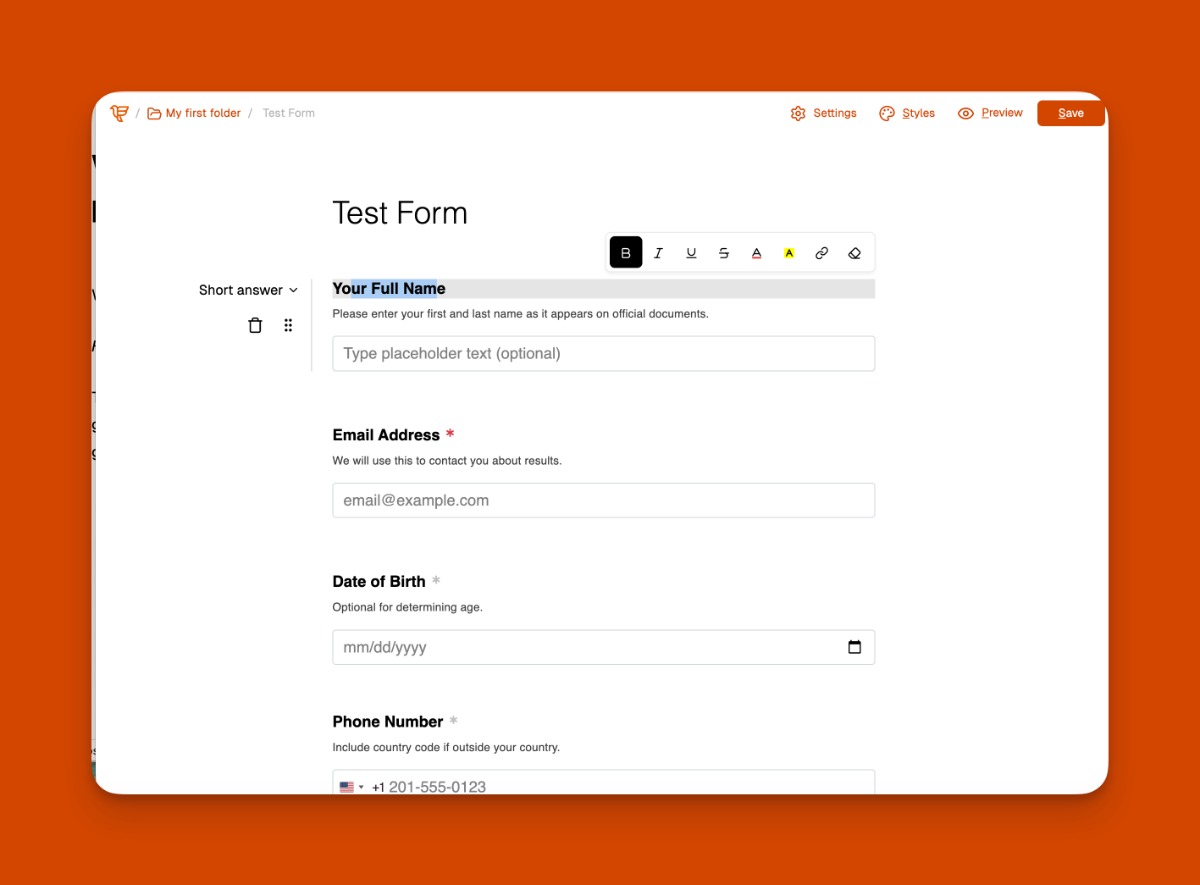
Make your forms more engaging with rich text formatting. Add bold, italic, underline, colors, and even hyperlinks to your form titles and question labels.
How it works:
- Click on any form title or question label to edit
- Use the formatting toolbar that appears above
- Add bold, italic, underline, or strikethrough text
- Change text or background colors
- Insert clickable links to guide respondents
- Clear formatting when needed with one click
Available now for all FormRobin users.
Dashboard & Analytics Visual Refresh 📊
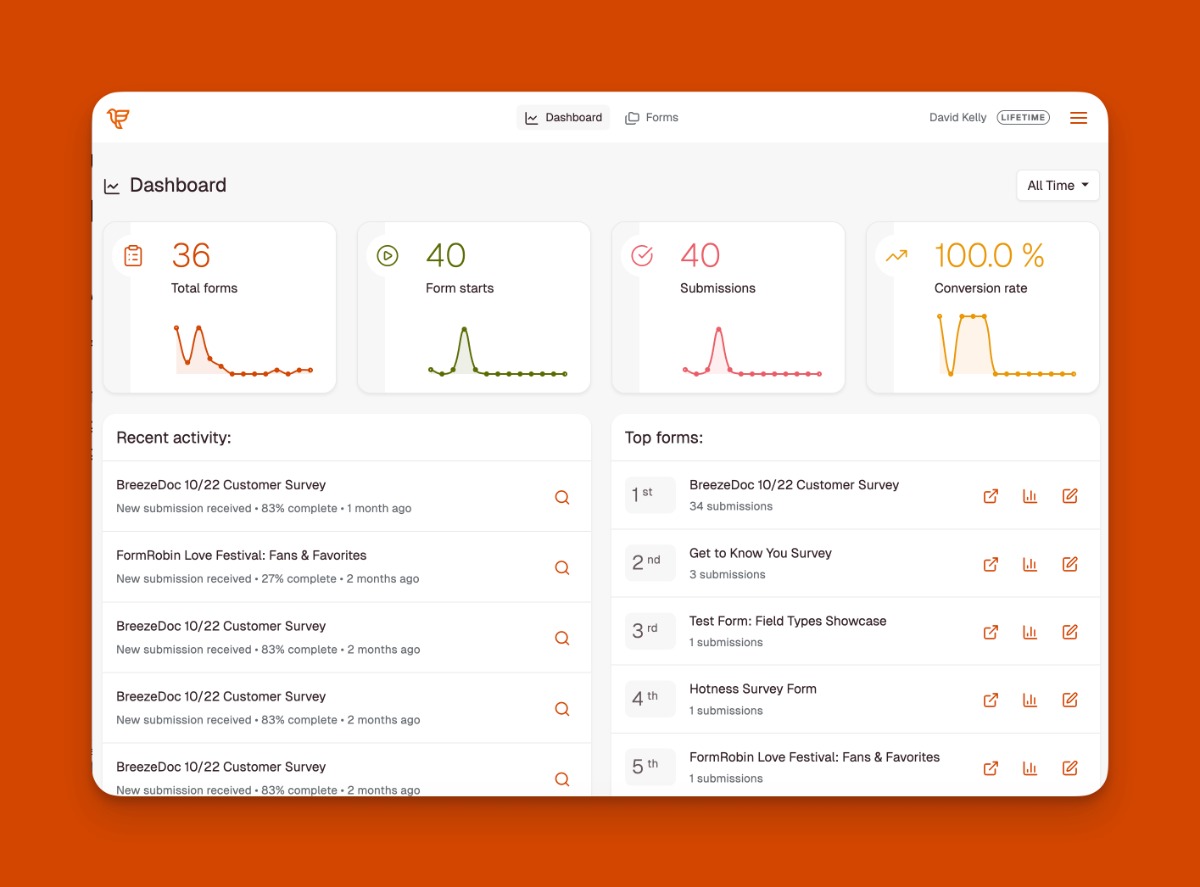
Your FormRobin dashboard and analytics pages got a complete visual makeover.
The new design features cleaner metric cards, a streamlined recent activity view, and improved navigation. See your submissions, views, and completion rates at a glance with a more professional, modern layout.
This update is live now in your FormRobin account.
Bulk Delete Form Sessions 🗑️
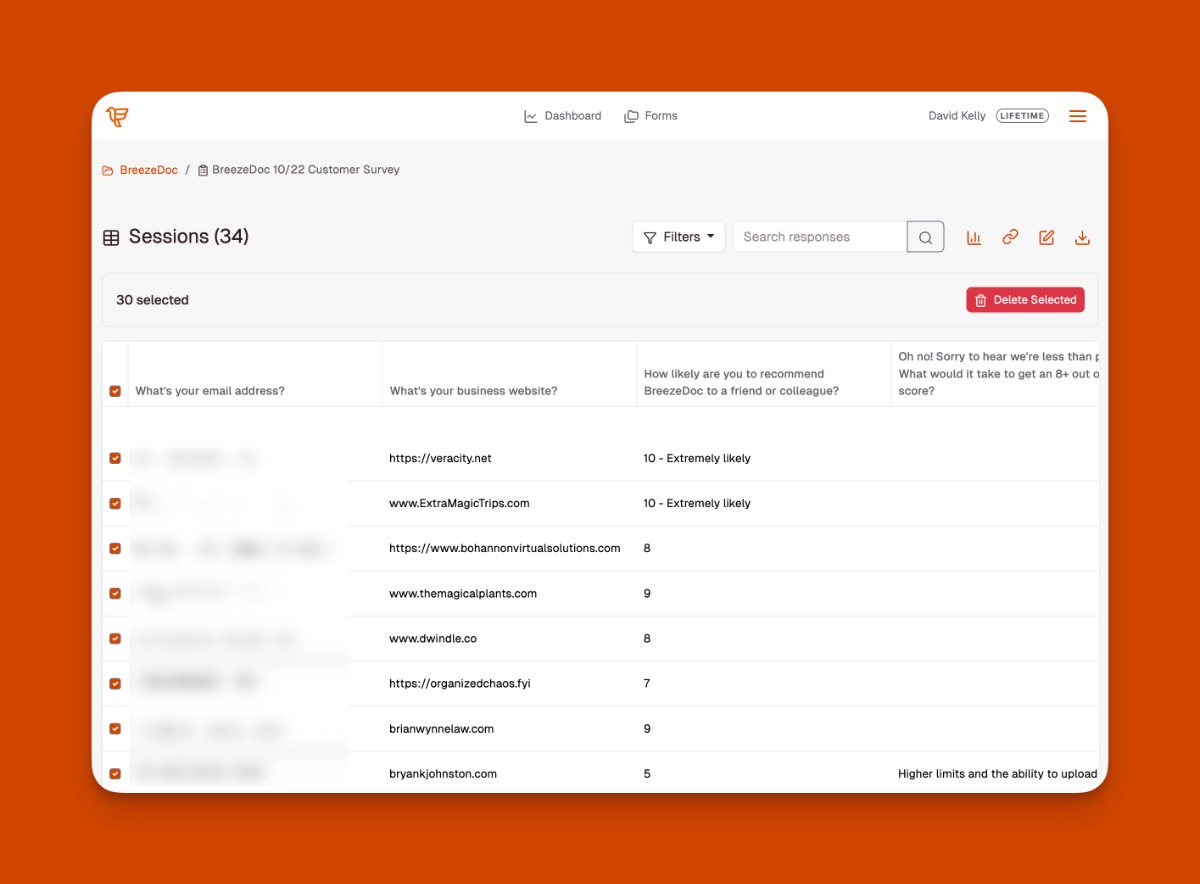
Managing form responses just got easier. Select multiple form sessions and delete them all at once instead of one by one.
How it works:
- Go to any form's Sessions page
- Check the boxes next to sessions you want to delete
- Use "Select All" to quickly select all visible sessions
- Click "Delete Selected" to remove them in one action
- Confirmation prompt ensures you don't delete accidentally
Available now for all FormRobin users.
Other Updates:
- Advanced Analytics Timeframes - Filter your form analytics by specific time periods (Last 7 days, Last 30 days, Last 90 days, This year). (Individual Plan only)
- AI Form Generator UI Refresh - The AI-powered form generator got a visual update with refreshed components, better styling, and improved user experience.
- UI Polish - Multiple rounds of improvements to the navbar, forms list, and general styling for a cleaner, more consistent look.
- Preview Mode Fix - Resolved React error that prevented some forms from being previewed or caused errors when exiting preview mode.
- Move Form Fix - Fixed a bug where moving forms between folders showed "Validation failed" error. Folder organization now works correctly.
- Form Names Display Fix - Form names containing formatted text now display properly in the Forms list instead of showing raw HTML tags.
- Upsell Banner Accuracy - Updated Style Editor upsell message to accurately describe Individual Plan benefits.
- Pricing Page Cleanup - Removed references to unreleased Agency plan and corrected branding name to "FormRobin" on the pricing page.
- Improved Integrations Page - Optimized and increased the speed of the Integrations page, along with other visual tweaks
- Security Updates - Updated key software dependencies to latest versions with security patches.
Thanks for all your support this year. FormRobin is only a few months old, and we're excited to keep making it better for you in 2026.
❤️ & 🌮
David and the FormRobin team
You're receiving this email because you have a FormRobin account. If you have any questions or need any help, please reply to this email.
0 comments