
Wix has changed things up over the last few months...
There used to be a little log in button under the comment box on my posts, but the Wix website decided to get rid of that. Now, you can't sign in if you comment, you can only insert your name and email.
If you are fine with that, good! But if you want to sign into my blog with your Gmail account and comment with your picture like the "good ol' days," I took some pictures to show you how.
First of all, I added the option to sign up/log in. You will find it at the top of any blog post.

Once you click that, you can sign up or log in. It doesn't really matter. You are a "member" if you've already signed in before, but if you can't remember whether or not you've done it, it doesn't matter. Just sign up again. It should work. If not, shoot me an email.
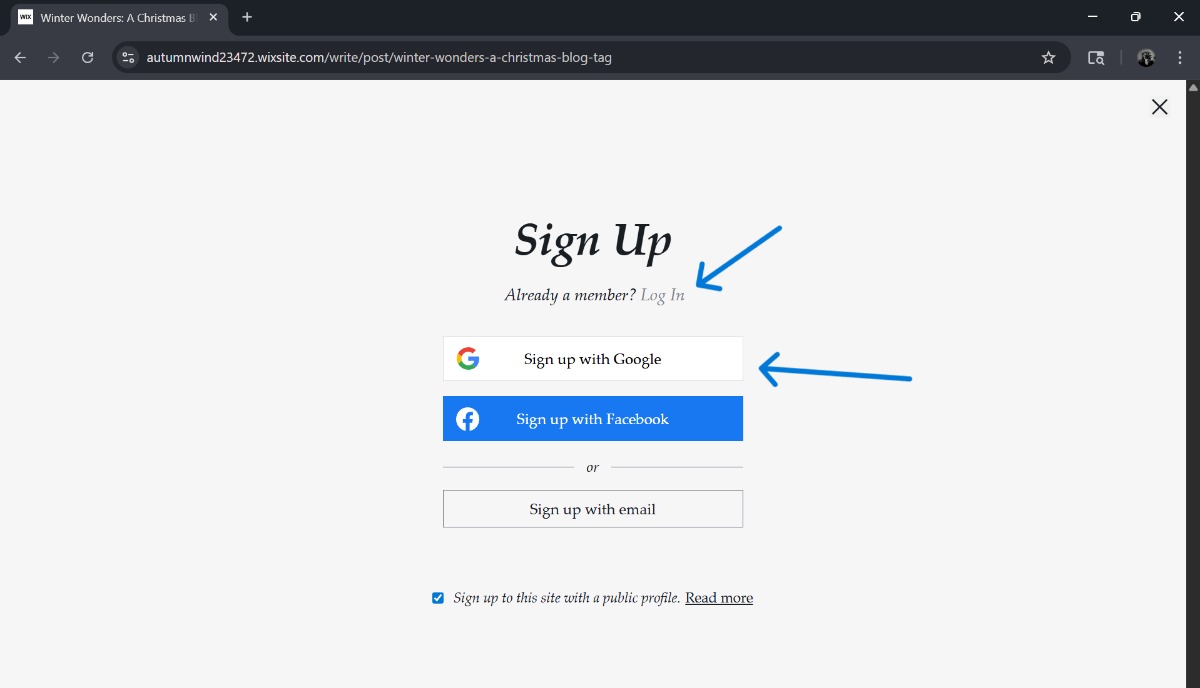
Once you hit either the log in or sign up button, you can pick an account.
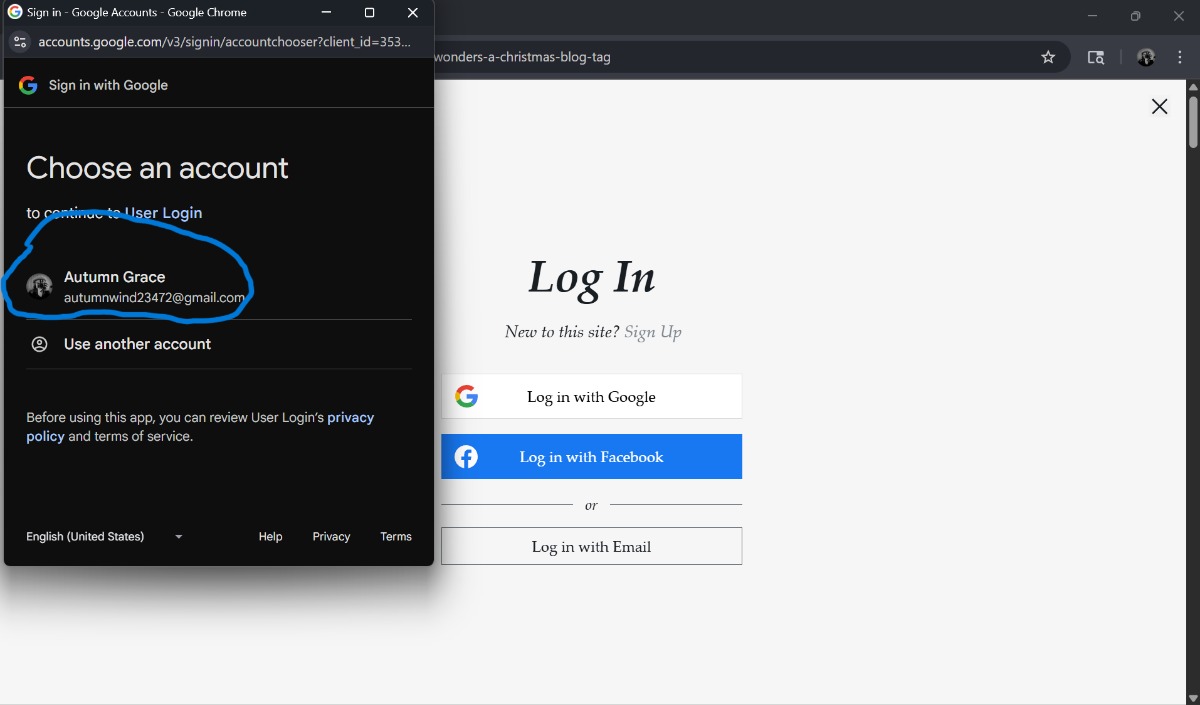
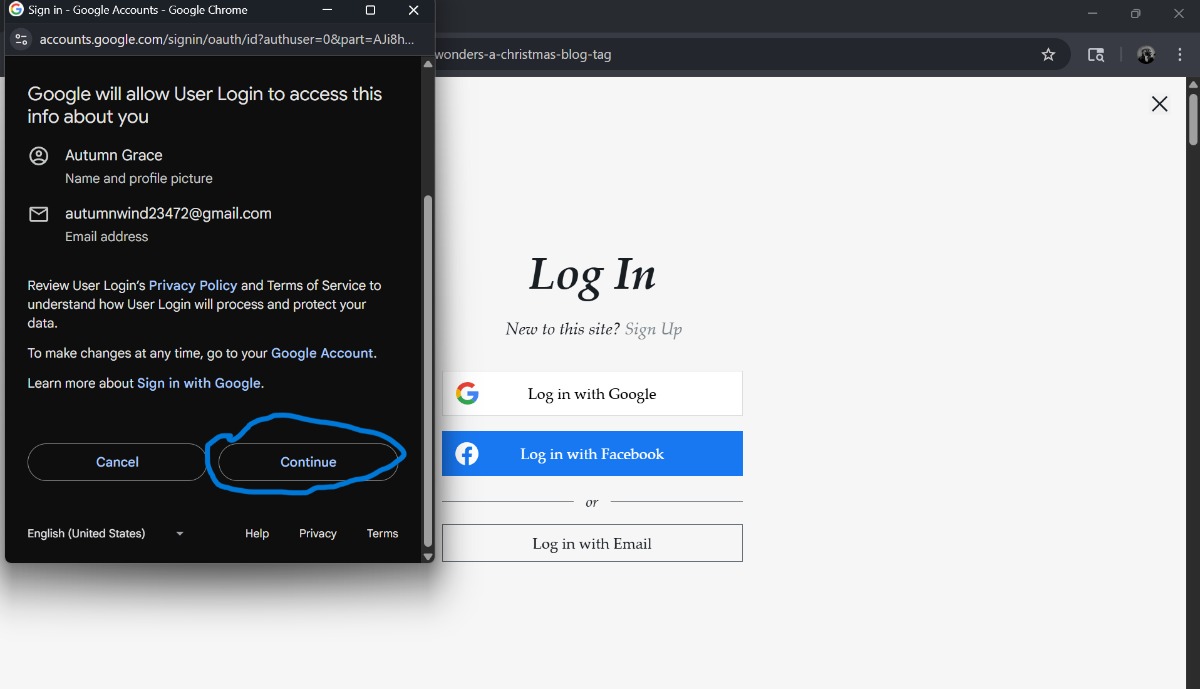
Once you select an account to sign in with, you need to hit continue. Usually, you need to scroll down to find this button. I don't understand everything you're agreeing to, but I promise I'm not here to steal your information. 😂
I hope that's helpful! If you like commenting without signing in, I get it! But if not, hopefully this will be enlightening.
Happy New Year's Eve!
God bless,
Autumn
0 comments